FAQ & Troubleshooting
On this page
- Getting set up
- Stremio & the add-on
- My add-on is missing from Stremio
- My rows are empty
- I changed my rows but Stremio still shows the old ones
- A title I just added is missing in Stremio
- I can see my titles, but nothing plays
- Do I need a separate add-on for each group?
- I think my add-on URL leaked
- I use Nuvio. How do I get my rows there?
- How do I save a title to a group from inside Stremio?
- A connection says it expired
- Groups & sharing
- Account & privacy
- Related guides
Quick answers to the questions new StremShare users ask most, with links to the full guides. New here? Start with Getting Started.
Getting set up#
Is StremShare free?#
Yes. Building groups, sharing them and using your add-on are all free. The main limit is how many groups you can own: the Create New Group window shows where you stand (for example 3 of 50 groups). Groups you join don't count toward it. Account → Plan shows what Free and Supporter include.
Supporter
Supporter is a planned paid plan that lifts the group limit and adds extras to the AI features. It isn't available to buy yet.
Do I need Stremio?#
You need an app that shows your rows: Stremio (the app or Stremio Web) or Nuvio. StremShare itself runs in your browser, where you build and manage your groups. See Add-on Setup for Stremio and App Profiles for Nuvio.
I skipped the Quick Start. Can I go back?#
Yes. While you have no groups, the Welcome to StremShare card on your Dashboard has a Browse starter packs link. You can also open Pick a Quick Start directly at any time. See Getting Started.
Why is a feature greyed out with an In beta pill?#
The AI features (the AI Curator and Ask search) are being tested with a small group of accounts before they open to everyone. If you see the In beta pill, your account isn't in the beta yet, and there's nothing to switch on. See AI Features.
I forgot my password#
On the sign-in page, click Forgot Password?, enter your email and click Send Reset Link. If an account uses that email, a reset link arrives by email and works for 1 hour. Signed in and just want a new one? Use Account → Password.
What can Owners, Contributors and Watchers do?#
The Owner runs the group: settings, members, publishing and any content. A Contributor can add and remove content, invite people as Watchers and remove Watchers from the group. A Watcher sees the group and its catalog but can't change the content. Every member can rate and review. See Groups & Members.
Stremio & the add-on#
My add-on is missing from Stremio#
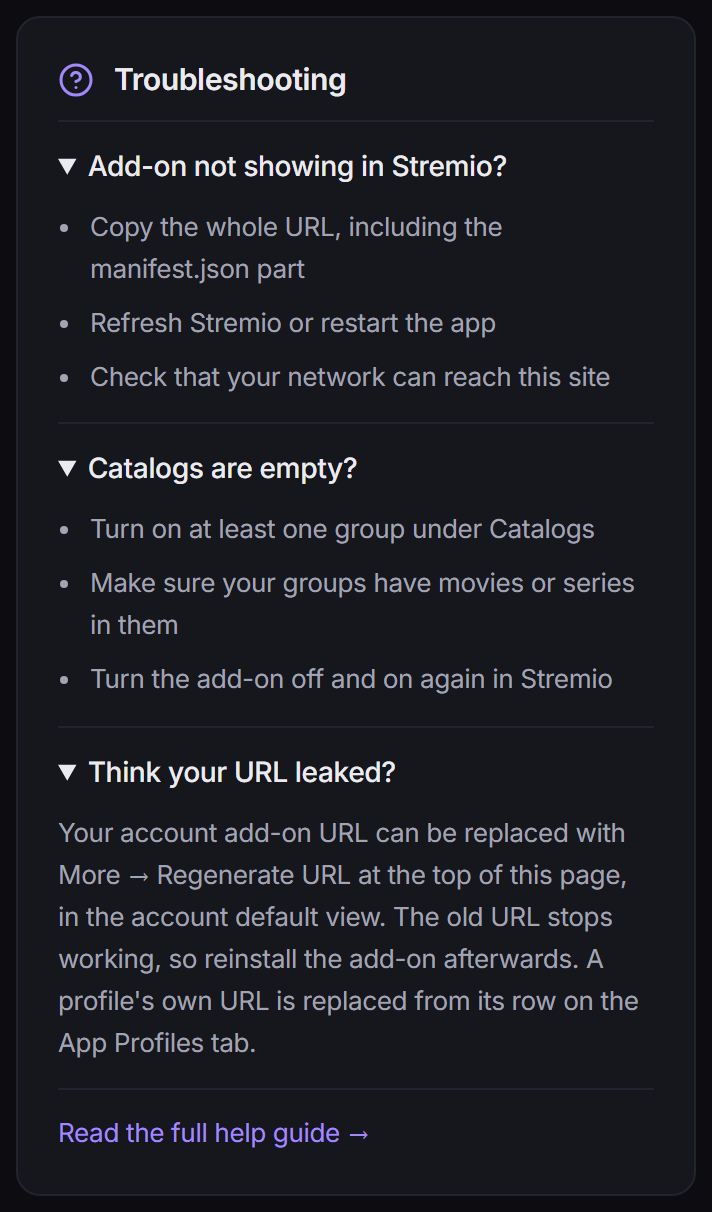
Copy the whole URL from Add-on Setup, including the manifest.json part, or use Install in Stremio. Then refresh Stremio or restart the app. If it still doesn't appear, check that your network can reach this site. See Add-on Setup.
My rows are empty#
Check that at least one group is switched on under Add-on Setup → Catalogs → Configure Groups, and that your groups actually have titles in them. If they do, turn the add-on off and on again in Stremio.
I changed my rows but Stremio still shows the old ones#
Stremio only reads your list of rows when the add-on is installed. Adding or removing titles updates by itself, but switching a group on or off, joining a group or changing a row's shape changes the lineup. Link your Stremio account under Account → Connections and StremShare updates it for you; otherwise reinstall the add-on with the same URL. Details in When changes need a reinstall.
A title I just added is missing in Stremio#
New titles appear the next time Stremio loads that row. Go back to the home screen, or restart the app, to make it load again. Nothing needs reinstalling for content changes.
I can see my titles, but nothing plays#
StremShare adds rows of titles (catalogs) to Stremio. It doesn't provide video sources. What plays when you open a title comes from the other add-ons you've installed in Stremio.
Do I need a separate add-on for each group?#
No. One personal add-on serves every group you turn on, including groups you join later. Choose which groups show, and how, under Add-on Setup → Catalogs. See Getting Started.
I think my add-on URL leaked#
On Add-on Setup, open More add-on actions (the … button on the Your personal add-on card) and choose Regenerate URL…. The old URL stops working right away, so install the new one in Stremio afterwards. A profile's own add-on URL is replaced from its row on Account → App Profiles instead.
I use Nuvio. How do I get my rows there?#
Link your Nuvio account under Account → Connections, then use Install on your profiles (or Manage profiles later) to put StremShare on the Nuvio profiles you want. Nuvio picks up changes on its own, so there's nothing to reinstall. See App Profiles.
How do I save a title to a group from inside Stremio?#
Turn on Stream for that group under Add-on Setup → Catalogs → Configure Groups. You'll then see a button to add the title to that group when you open it in Stremio. Stream is only offered on groups you own or contribute to.
A connection says it expired#
Sometimes a linked service (Stremio, Trakt or MDBList) stops accepting StremShare's saved login or key. You get a notification, and clicking it opens Account → Connections, where you reconnect. Syncing from that service, including smart lists that use it, pauses until you do. See Account Settings.
Groups & sharing#
How do I invite someone to my group?#
Owners and contributors can click Invite on the group page, then Invite Members on the Members tab. Invite people by username, or create an invite link (tick Reusable link if several people will use it). Only the owner can invite contributors. See Groups & Members.
Who can see my private group?#
Only its members. New groups always start private, and they stay that way unless you publish them. Invite links let people join without you making the group public.
How do I put my group on Discover?#
Open the group's Settings tab, click Edit, and use Publish to Discover. The group needs a description, a category and at least 3 titles first; the checklist there shows what's missing. See Groups & Members.
How do I leave a group?#
Click Leave Group at the top of the group's page. The group's owner can't leave; transfer ownership to another member from the Settings tab (Transfer Ownership), or delete the group instead.
I hit the group limit#
Free accounts can own a limited number of groups. To make room, delete a group you no longer need or transfer one to another member. Joining other people's groups is never limited.
How do I report a public group?#
On Discover, hover over the group's card and click the flag icon (Report group) in its top corner. Choose a reason, add details if you like, and click Submit Report. See Discover.
Account & privacy#
Who can see my watch history?#
Your full history, on the Watch History page, is only visible to you. Nobody else sees what you play unless you choose to share it under Account → Profile. Turn on Show currently watching and, in groups you own or contribute to, the group's Activity tab shows when you're watching or have finished one of that group's titles, to everyone who can see the group (Watchers' plays are never shown); the same switch puts what you're watching on your public profile. Show watch stats adds your watch stats to your profile. Both switches start off, and a private profile keeps your plays hidden even with them on. See Watch Tracking and Profiles.
What does StremShare keep when I link Stremio?#
You can link with your email and password or with an auth token. Your password is never stored; StremShare keeps only an auth token, which it uses to keep your add-on in sync. You can disconnect any service at any time under Account → Connections.
How do I delete my account?#
Go to Account → Delete Account, confirm with your password and type DELETE. This removes your profile, your group memberships, your ratings and reviews, your add-on settings and your connected services. Groups you own that have other members pass to another member; groups where you're the only member are deleted. It can't be undone.
Related guides#
- Getting Started: from a new account to your rows in Stremio.
- Add-on Setup: every setting that shapes your Stremio rows.
- Groups & Members: roles, invites, publishing and ownership.
- Account Settings: connections, password, plan and account deletion.
- Tools: more troubleshooting for the addon manager and transfers.