Ratings & Reviews
Rate titles out of 10, write short reviews your group can read, and see what everyone else thought.
On this page
Every member of a group can rate the titles in it and write a short review, whatever their role. Ratings add up to a group score you can sort and filter by, and recent reviews even show up inside Stremio.
Where ratings live#
Ratings and reviews belong to a title in a particular group. If the same movie is in two of your groups, each group has its own ratings and reviews for it.
You rate and review from a title's details panel on the group page, or from the confirmation page after adding a title from Stremio.
Rate and review from the group page#
- Open the group and go to the Items tab.
- Click a poster. Its details open on the right (on a phone, in a sheet from the bottom).
- Scroll to Your Rating & Review.
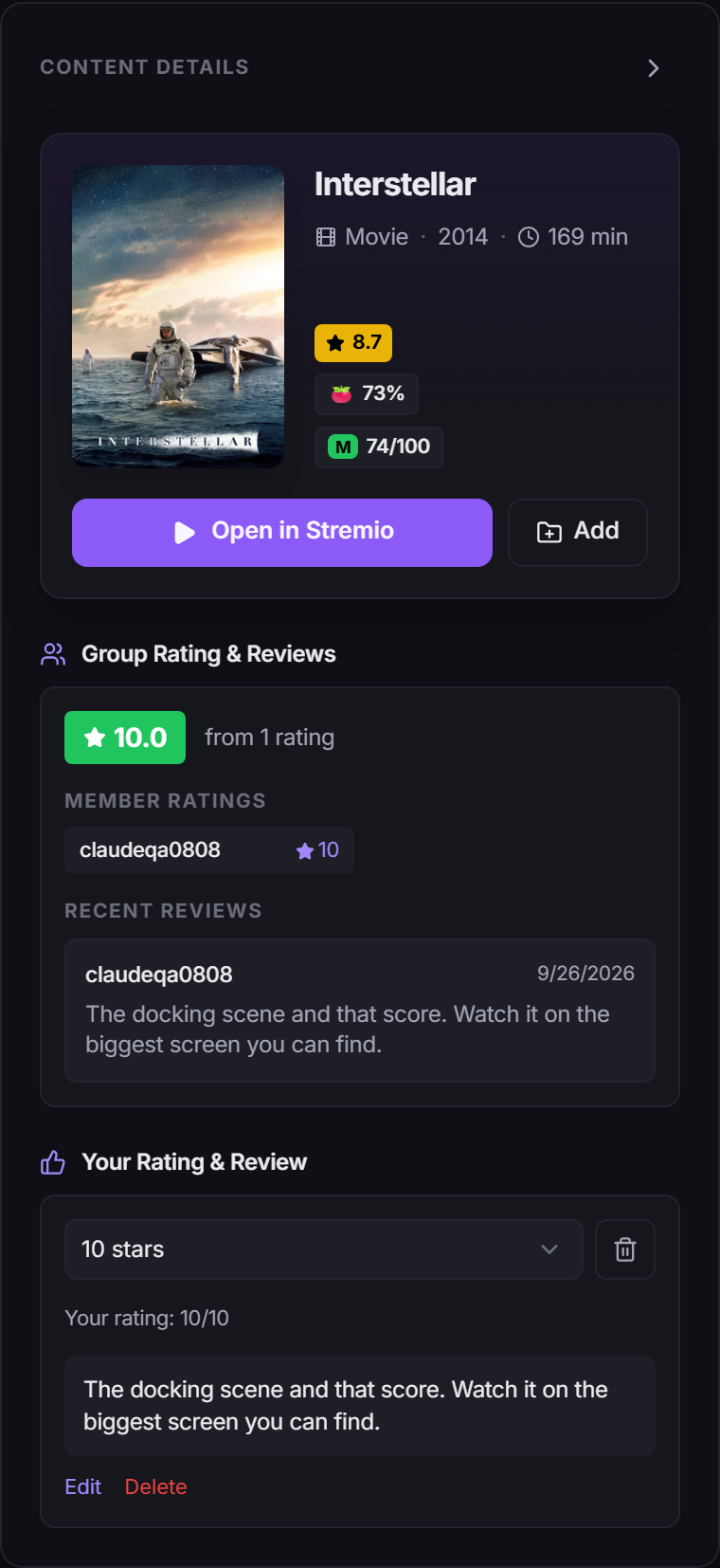
To rate: choose from Select a rating…, from 1 star to 10 stars. It saves as soon as you pick, and you'll see "Your rating: 8/10". The bin icon next to it (Remove rating) clears it.
To review: click Write a review…, type your thoughts and click Save. Reviews are 5 to 1,000 characters. Once saved, use Edit to change it or Delete to remove it.
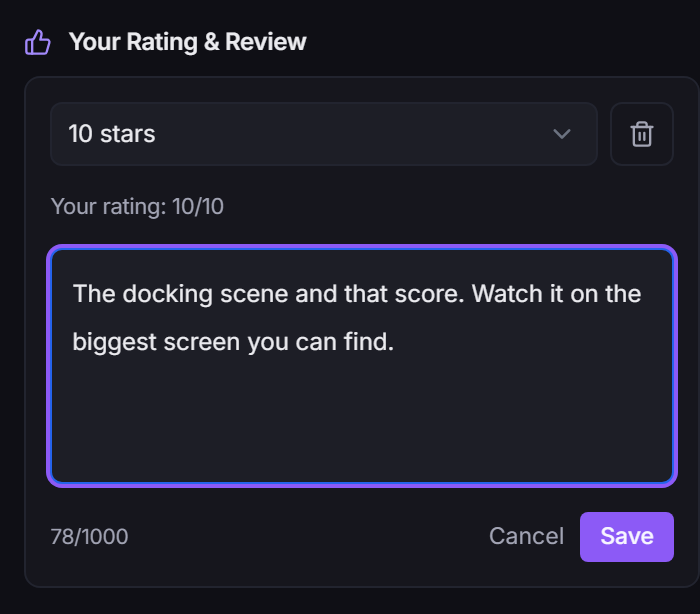
You can rate without reviewing, or review without rating.
Rate right after adding from Stremio#
When you add a title from Stremio and the confirmation page opens (see Add from inside Stremio), it has a Rate & Review card for that title.

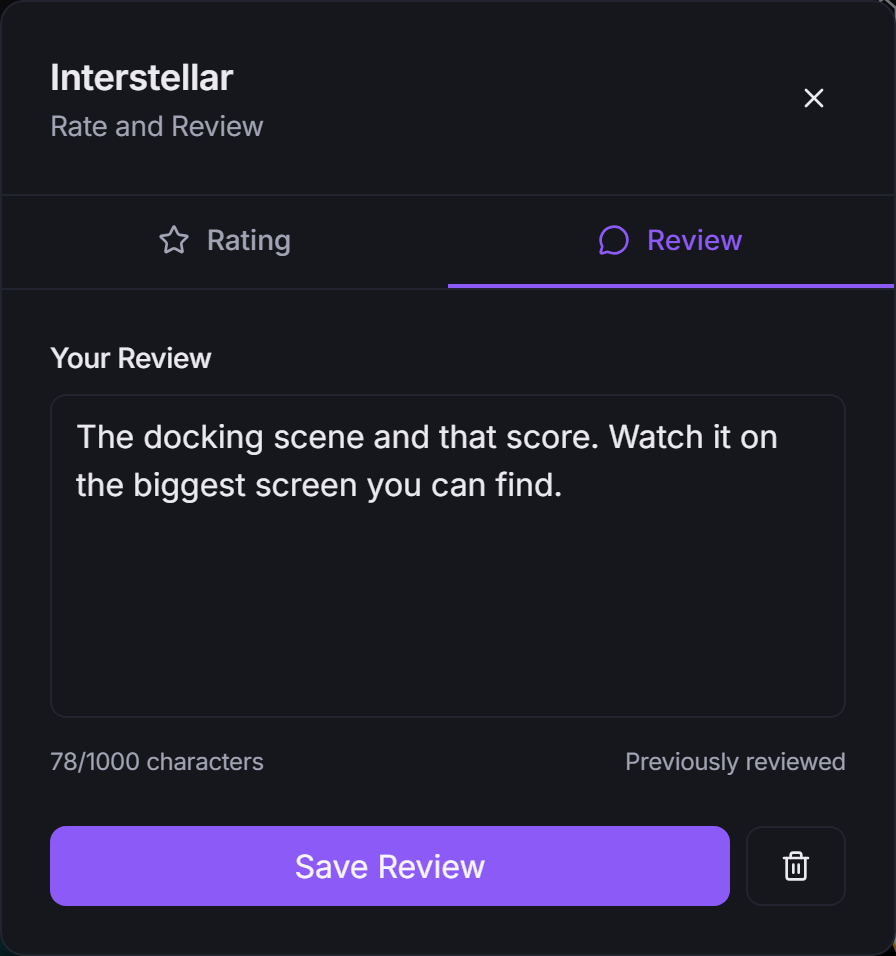
Click Rate & Review to open a small window with two tabs:
- Rating: pick a score and click Save Rating.
- Review: write up to 1,000 characters and click Save Review.
The bin buttons on each tab remove your saved rating or review.
See what the group thinks#
The Group Rating & Reviews section of the details panel shows:
- the group's average score, and how many ratings it's based on
- Member Ratings: each member's score (click a name to open their profile)
- Recent Reviews: members' latest reviews, with the date each was written
If nobody has weighed in yet you'll see "No ratings or reviews yet".
The group score is also a Sort option (Group Rating) and a filter (Group Rating, with a minimum and maximum) on the Items tab. See Adding Movies & Series.
In Stremio#
If you've switched on Stream for a group in Add-on Setup, a title that's already in that group shows ✅ Already in group in its stream list, together with the group rating (out of 10) and up to three recent reviews. It's a handy way to check what your friends thought before pressing play.
Remove reviews#
- Your own: you can always delete your own rating or review, from the details panel or the Rate & Review window.
- As a group owner: you can remove anyone's review on your group's titles. In Recent Reviews, click the bin icon (Remove review) on the review and confirm with Remove. This can't be undone.
Other members can't remove each other's reviews.
What reviews can't contain#
Reviews are checked for racial and ethnic slurs and similar hateful language. This is not a swear filter: strong language is fine. If a review is blocked you'll see this message, and nothing is saved:
Reviews can't contain slurs or hateful language.
Edit the text and save again.
Notifications and likes#
- New reviews on your group. If you own a group, you get a notification when a member posts a new review on one of its titles (not when they edit one, and not for your own reviews).
- Likes. Reviews you write in public groups can appear in the activity on your profile, where other signed-in people can like them with the thumbs-up. You get a notification when someone likes one. You can't like your own reviews.
Both kinds of notification can be switched off with Social in your notification settings. See Account Settings.
Badges#
Reviews on titles in public groups count toward three profile badges: First Impressions (your first review), Critic (10+ reviews) and Crowd Pleaser (25+ likes on your reviews). See Profiles, Following & Badges.
Rating a whole group#
Public groups have one more kind of rating. If you're a member of a public group, its header shows Your rating: with 1 to 5 stars. That's a score for the group as a whole, not for a title. Click it, pick your stars, or use Clear to take it back.
Good to know#
- No rating controls in the panel? You need to be a member of the group. If you're browsing a public group you haven't joined, click Join Group first.
- Review won't save? Check it's at least 5 characters, under 1,000, and doesn't trip the language check above.